Can this thing come to the Mac?
A coworker has used a Logitech G13 as a Pro Tools shortcut controller on Windows for years. He was considering a move to a Mac, and wanted to bring the G13 with him. I could see why. It's a weird little gaming keypad, but once you know where everything is, those buttons become second nature.
The hardware still worked. What he was missing was the kind of profile editor he had on Windows, where he could organize shortcuts for the way he actually edits.
More than a key mapper
Bertrand Mansion's open-source Mac app already handled communication with the G13. Rather than start over with the hardware or try to port Logitech's Windows software, I used that as the foundation and focused on the editing workflow.
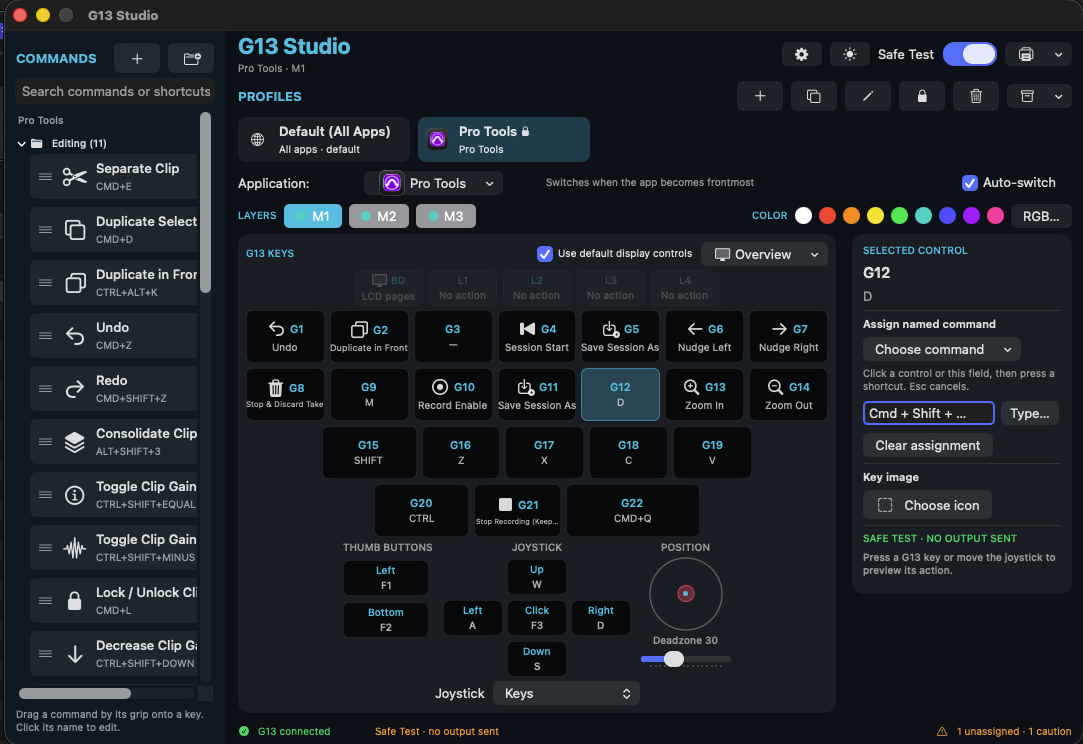
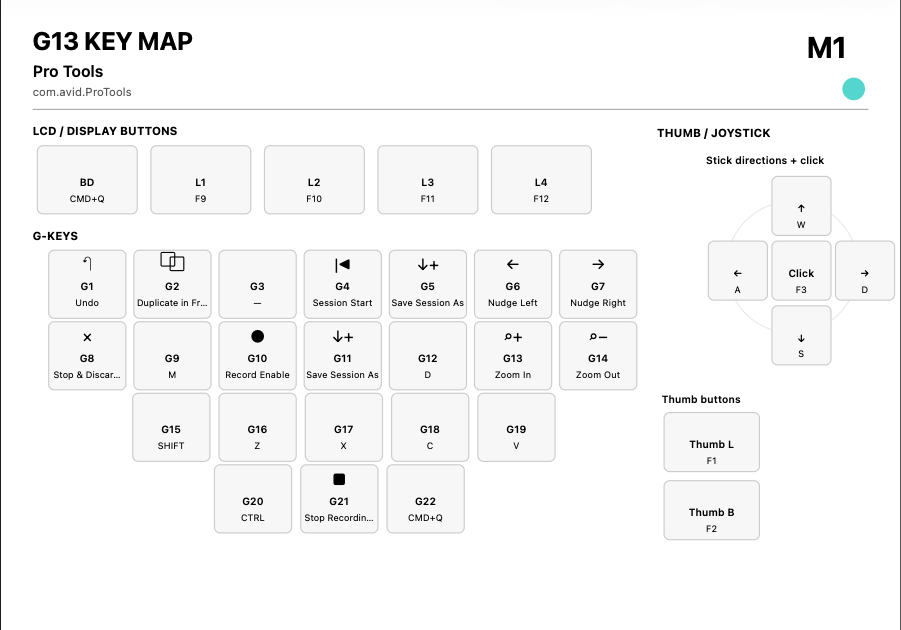
I worked with Codex on the Swift implementation, directing a visual keypad editor with named commands, profiles for different Mac applications, and three shortcut layers within each profile. The joystick can scroll, the LCD shows profile information, and there's a printable key map for the assignments you haven't memorized yet.
Making the controls behave
Assigning a shortcut is one thing. Getting it to behave when you're holding Shift, clicking with another button, or changing profiles halfway through a keypress is another. A Mac that thinks a modifier is still held down can make a mess of an editing session.
Testing the controller exposed issues with multi-key shortcuts and mouse actions. We worked through those cases and added proper tracking for held keys, so the app releases them when a profile changes, output pauses, or the controller disconnects. I kept pushing the behavior toward what actually made sense in Pro Tools and Soundly, rather than settling for controls that just looked right in the editor.
G13 Studio is now a working macOS pilot, but it's not finished. I've tested the hardware during development; my coworker still needs to put the current version through his full workflow on his own Mac.
The code and screenshots are on GitHub, with credit to Bertrand's original project and the earlier open-source G13 work it builds upon.